Choosing an Online Family Tree: Turn Scattered Family History Into a Shared, Verifiable Archive
When people compare digital family tree tools, the conversation often starts with database size or chart design. Those features matter, but they are not the real test. The better question is whether an online family tree can help you turn scattered notes, photos, and half-remembered stories into a family history that is organized, verifiable, and easy for relatives to use. That is a different standard, and it is the one that saves time later.
A family tree is not just a list of names. It is a set of relationships, evidence, and context. If the tool you choose cannot hold those pieces together, you will spend more time maintaining the tree than learning from it. This guide focuses on what to compare before you commit, especially if you want a shared family history rather than a private name collection.
Paper Trees and Scattered Files Do Not Scale
Most family history projects begin in a practical but fragile way: a notebook, a spreadsheet, a folder of scanned certificates, and a thread of messages with a cousin. This works until the project grows. A second branch of the family appears, a photo needs a caption, or a census record contradicts an old note. Suddenly the real work is not research but reconciliation.
An online tree helps because it gives every name a stable place and every relationship a structure. You can attach source notes, images, and comments to the right person instead of leaving them in a folder that only you understand. But not every platform treats those details equally. Some are built for simple chart building; others are built for ongoing genealogy work. For people comparing tools, that distinction is central.
A Shared Workspace for Family History
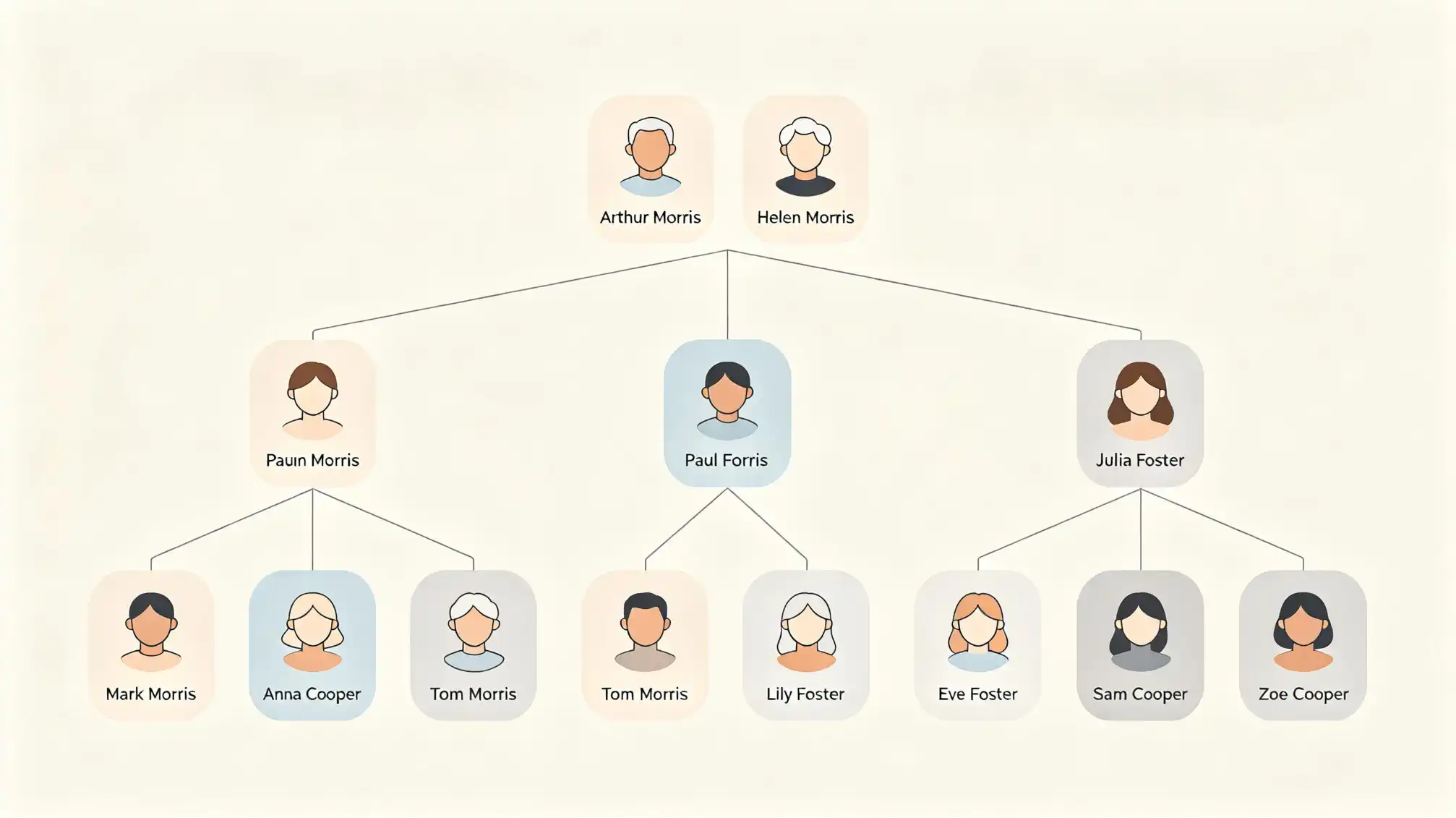
The real advantage of a shared family tree appears when more than one person contributes. A relative can add a photograph, correct a birthplace, or explain a family nickname. That collective memory is valuable, but it can also create duplicate profiles and conflicting details. The tool should make collaboration easier without making the tree chaotic.
Look for clear permissions, change history, comments, and sensible duplicate handling. Can you see who added a source? Can you invite a cousin to contribute without giving them control of the whole tree? Can you merge two profiles without losing notes? These are practical tests. If you want a straightforward place to start organizing family profiles and relationships, you can review the family page at https://www.familylove.love/family as a reference point while comparing options.
Evidence Beats Accumulation
A family history becomes more reliable when each conclusion can be traced back to something: a birth certificate, a census entry, a marriage record, a photograph, or a recorded interview. Many online trees make it easy to add names but less easy to attach evidence. That is a problem. Without sources, every later researcher has to repeat the same work.
When comparing digital family tree tools, check how they handle citations, media, notes, and uncertainty. Can you attach a source to a specific fact, such as a birth date, rather than to the whole profile? Can you mark a relationship as uncertain? Can you write a short explanation for why you accepted one record over another? These details may sound minor, but they are what turn genealogy from guesswork into a maintainable record.
A source-backed tree also makes collaboration more civil. When two relatives disagree, the conversation can focus on the evidence rather than memory. The tree becomes a shared research file, not a contest of confidence.
Collaboration Without Chaos
Roles and Review
Decide early who can view, comment, edit, and invite others. A good platform lets you separate those roles. For a large family, an open edit model can be welcoming, but it needs oversight. A smaller private tree may need only one editor and several contributors.
Duplicate and Merge Controls
Duplicates are almost inevitable in family history. Names are spelled differently, dates are approximate, and cousins enter the same person twice. Compare how each tool detects and merges duplicates. The merge process should preserve sources, notes, and media, and it should leave an audit trail.
Communication Trails
Comments and activity logs are not extras. They help relatives understand why a change was made. If a platform hides edits or makes them difficult to review, the tree can lose trust quickly.
Portability and Your Exit Strategy
Before you invest years of research in any online family tree, ask how you can take the data with you. Export options matter. Check whether the platform supports standard genealogy formats such as GEDCOM, whether media and source notes are included, and whether you can create a backup on your own device. A tool that traps your research is a risk, even if it looks polished today.
Portability is also a quality signal. Platforms that expect you to stay for decades usually provide clear export and backup guidance. If the documentation is vague, treat that as a warning. Your family history should outlast any subscription plan.
Privacy for Living People
Genealogy involves sensitive information, and not every relative wants to be visible in a public tree. Compare privacy controls carefully. Look for settings that protect living people, invite-only access, private media options, and clear rules about who can see or share details. Consent matters, especially for younger family members and relatives who have not chosen to participate.
Privacy is not just a compliance feature. It is part of family trust. A platform that makes privacy easy to understand is more likely to be used responsibly by everyone in the family.
Research Workflow: From Clue to Conclusion
A useful online tree supports a simple workflow. You find a clue, capture it, attach it to the right person, note what it proves or does not prove, and return later when more evidence appears. If the tool cannot support that loop, you will end up keeping research notes somewhere else.
Look for features that help you record tasks, questions, and research logs. Some platforms include these tools; others expect you to manage them separately. Neither approach is wrong, but you should know which one you are choosing. The best system is the one you will actually maintain.
What to Compare Before You Commit
Use a short checklist rather than comparing every feature. Focus on the parts that affect long-term trust and usability:
- Source and media support, including citations attached to specific facts
- Collaboration roles, comments, change history, and duplicate merging
- Export options, GEDCOM support, and local backup
- Privacy controls for living people and private media
- Ease of use on both mobile and desktop
- Storage limits, pricing, and what happens if you stop paying
- Help documentation and a clear learning curve
This checklist will not tell you which tool is perfect, because no tool is. It will tell you which one fits the way your family actually works.
The Long-Term Payoff
The strongest reason to choose carefully is not convenience today. It is continuity. A well-maintained online family tree gives future relatives a place to start, with sources they can check and stories they can add to. It reduces the chance that your research becomes another unread folder on a hard drive.
For anyone comparing digital family tree tools, the practical goal is simple: build a family history that can be shared, verified, and maintained. That is a better measure than the number of names in a database.