Family Tree Template Guide: Turn a Blank Chart Into a Research-Ready Family History
Most people download a template, fill in three generations from memory, and then stall. The chart looks fine, but it is not usable — there is no way to tell which names were confirmed by a document, which came from a cousin's recollection, and which are simply wishful thinking. A family tree template is not a form to be completed; it is a structure you build on top of, month after month.
This guide takes a different approach from the usual starter instructions. Instead of walking through boxes one at a time, it focuses on the design decisions that decide whether your chart survives twenty years of research or gets abandoned after a weekend.
Why a Template Beats a Blank Page
Genealogy software is powerful, but it asks you to learn a system before you have written down a single name. A template inverts that: you get the shape of a family on one page immediately, which makes it easier to spot gaps, compare branches, and share progress with relatives who will never log into an app.
The real value is consistency. When every generation sits in the same position, with the same date format and the same naming rules, you can scan a page and see instantly that your maternal grandmother has no birth date while all four of her siblings do. That visual gap is what drives the next research session.
Pick the Format That Matches How You Will Use It
There is no single best layout, only the layout that fits the job in front of you:
- Printable chart (PDF or paper): best for family gatherings, interviews with older relatives, and wall display. People annotate paper without hesitation.
- Spreadsheet: best when you plan to add dozens of people and want to sort, filter, and spot duplicates. A free family tree template in spreadsheet form is often the most durable option.
- Online tree template: best for collaboration, since multiple relatives can add photos and dates from their own devices.
- Fan chart or pedigree chart: best for showing direct ancestry only, up to six or seven generations, without the clutter of siblings.
A practical approach is to run two at once: a spreadsheet as your master record and a printable chart for conversations. The spreadsheet stays accurate; the paper version stays social.
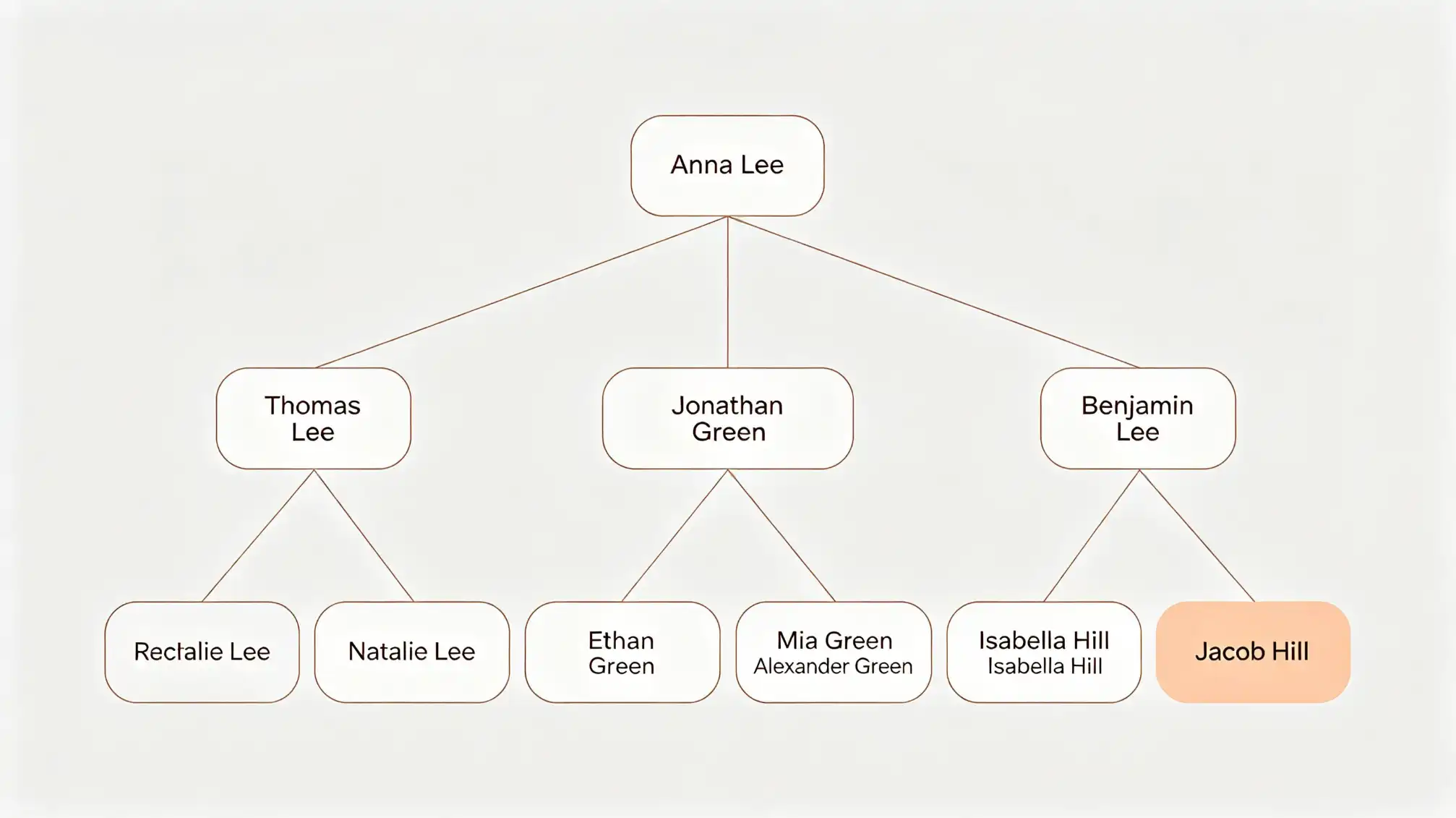
Fill It In Structure-First, Not Name-First
The most common failure is starting with a favourite ancestor — a great-grandfather whose story hooked you — and building outward from there. The result is a lopsided tree with dense detail in one corner and nothing anywhere else, which makes later verification much harder.
Start with the four-generation core
Begin with yourself, your parents, your four grandparents, and your eight great-grandparents. That is fifteen people. Enter names, then approximate birth and death years, then locations. Do not research yet; just establish the frame. Most people can complete 60–80% of this from family knowledge and a single conversation.
Leave deliberate placeholders
Write Unknown rather than leaving a box blank, and add a short note about what you know: "Mary — born around 1912, possibly Co. Cork, no documents yet." An empty box gets ignored; a box that says Unknown with a clue attached becomes a research prompt.
Record Sources on the Template Itself
A name without a source is a rumour. Even the simplest family history template should reserve space for three extra fields per person:
- Source: certificate, census, headstone, family bible, oral account — with a date.
- Confidence: confirmed, probable, or unverified.
- Next action: the specific record you want to check next.
These three columns cost almost nothing to add and prevent the painful situation where you inherit your own tree two years later and cannot tell what you actually verified. It also makes sharing safe: a relative reading your chart knows which names to trust.
Adapt the Template to Real Family Shapes
Standard templates assume a neat pair of parents per generation, which fits very few families. Do not force your history into the grid — modify the grid instead. Blended families, step-siblings, adopted children, same-sex parents, and multiple marriages all need explicit lines and labels rather than being squeezed into a biological-only structure.
Practical fixes: use dotted lines for non-biological relationships, add a small notes box beside any person with more than one partner, and label each union with a marriage year if known. If you are building a shared tree with siblings or cousins and need a clean structure for everyone's branches, the collaborative setup at familylove.love/family is a useful reference for organising relatives in one place.
Mistakes That Make Templates Useless
- Mixing maiden and married names in the same field. Pick one convention — usually maiden name as the primary field, married name in notes — and apply it to every woman on the chart.
- Guessing dates without marking them as estimates. Write c. 1889 rather than 1889.
- Duplicating people because a second cousin appears under a different spelling. Add a unique ID or reference number in the spreadsheet version.
- Inconsistent date formats. Use one format throughout, ideally an unambiguous one such as 12 Mar 1914.
- Filling everything before verifying anything. A chart of 400 unverified names is harder to correct than a chart of 40 solid ones.
From Chart to Research Plan
Once the frame is filled, the template stops being a record and becomes a to-do list. Sort your people by confidence level and work from the least certain upward. Prioritise anyone born before civil registration began in their region, since those branches need parish or land records rather than certificates. Then set a realistic rhythm: one person, one record, per week.
This is where a family history template earns its keep. Every Unknown, every missing date, and every "probable" tag is a defined task with a clear finish line. Instead of wondering what to research next, you open the chart and the next three actions are already written down.
The template is not the archive — it is the map that tells you where to dig, and the log that proves you already did.