Family Tree Template: A Practical Walkthrough for Building Your Family History
Most people who download a family tree template never finish filling it in. The reason is rarely a lack of interest — it is almost always structural. The template was the wrong shape for their family, the columns did not match the questions they actually needed to answer, or nobody told them where to begin. A template is not a form to be completed; it is scaffolding for a research process that can run for years.
This walkthrough treats the template as a working tool: something you choose deliberately, label clearly, and expand as evidence arrives. If you follow the order below, you will end up with a document that is useful in a month and still trustworthy in five years.
Why a template beats a blank page
Family history research has a well-known failure mode: you collect names faster than you collect proof. A blank notebook encourages that habit. A structured family tree template nudges you in the other direction, because every empty field is a visible question waiting for an answer — and every field you fill without a source is a visible gap.
Good templates also enforce consistency. Birthplaces get written the same way twice. Maiden names stay attached to the right person. Dates use one format so they sort correctly. These sound like small things until you have thirty people across four generations and cannot tell whether "3/4/1892" means March or April.
Choose the format before you fill a single box
There is no universal template, only templates that suit particular jobs. Decide what you want to do with the tree before you pick one.
Paper and printable layouts
Printed charts are the best choice for conversations. Sit down with a grandparent, place a paper fan chart on the table, and the gaps become talking points. Paper is poor at holding sources and impossible to re-sort, so treat printed templates as interview tools rather than archives.
Spreadsheets
A spreadsheet is the workhorse of family history. One row per person, columns for name, birth, marriage, death, residence, and — critically — source and confidence level. Every free family tree template worth downloading for research purposes is essentially a well-labelled table. It sorts, filters, and does not care how many great-aunts you add.
Dedicated family history tools
Genealogy software and online platforms add relationship logic: children attach to parents, trees render automatically, and duplicate entries are flagged. The trade-off is that you are storing research inside someone else's system, so always keep an exportable copy of your data.
The anatomy of a family tree template
Whatever the format, a usable template carries four kinds of information: identity, relationships, events, and evidence. Most beginner downloads include only the first two. That is why they feel finished after an hour and useless after a week.
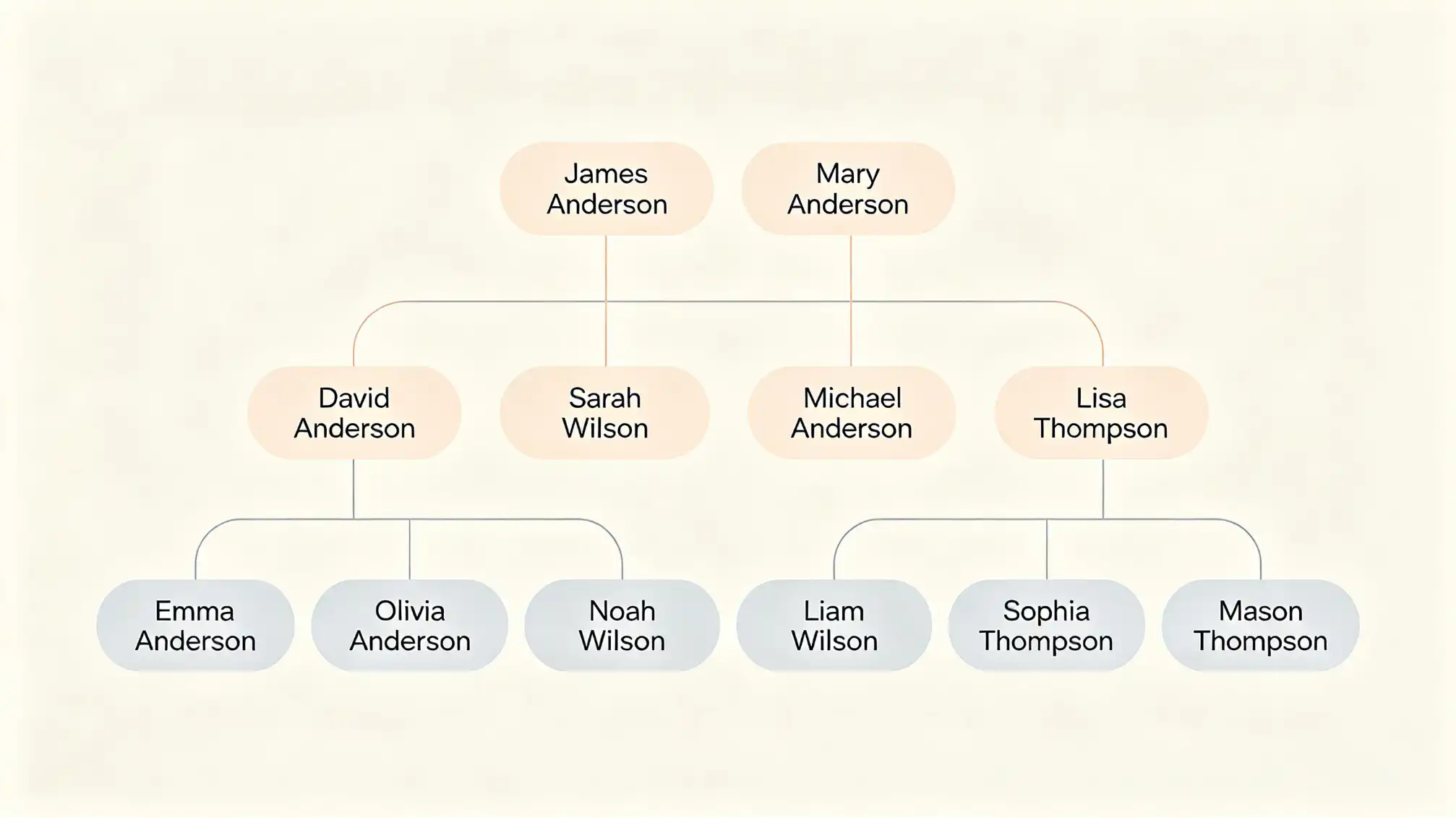
What every free family tree template should include
- Full name fields that separate maiden and married names, so you can search a grandmother under both.
- Date and place columns kept apart — "14 May 1910, Leeds" in one cell is much harder to filter than in two.
- A relationship column or explicit branches, so second marriages, step-children, and adopted relatives have somewhere to go.
- A source column for each fact: certificate, census, headstone, or family memory.
- A confidence or status field marking whether a fact is confirmed, unverified, or a guess.
- Space for notes, because the most valuable details rarely fit a cell.
A build order that stops the project collapsing
Step 1: Enter yourself, then move backward one generation at a time
Work in strict generations. Fill in your own details, then your parents, then all four grandparents, and only then the great-grandparents. Jumping straight to a famous ancestor three centuries back leaves a tree with holes you cannot explain.
Step 2: Write down what you think you know, then mark it as unverified
Fill the template with family memory first — it is fast, and it gives you a map of where the gaps are. Just be strict about marking those entries as unconfirmed. The confidence column is what keeps an inherited assumption from becoming a published fact.
Step 3: Attach a source to every fact you confirm
As certificates, census records, and photographs arrive, update the source column and move the confidence marker. A fact without a source is a lead, not a finding, and your template should say so out loud.
Step 4: Expand the template only when a branch earns it
Add columns for occupation, migration, or military service when a branch makes those details meaningful. Growing the template piecemeal keeps it readable; downloading a twenty-column mega-template guarantees you will abandon half of it.
Three mistakes that quietly ruin templates
- Forcing every family into a nuclear shape. Divorce, remarriage, adoption, and single-parent households break rigid charts. Choose a template with flexible branches rather than squeezing people into boxes that misrepresent them.
- Treating one file as the master. Keep a backup and export regularly. A single spreadsheet on a single laptop is one spilled coffee away from erasing years of work.
- Leaving the template invisible to relatives. A tree that nobody can see never gets corrected. Share it, or better, invite relatives to contribute — you can set that up through your family profile page and let living relatives confirm or challenge what you have recorded.
Turning a template into a living family history
The difference between a completed form and a genuine family history template is maintenance. Set a rhythm: review the tree once a month, chase one missing source, and add one story or photograph rather than one more name. Over a year, that habit transforms a sparse chart into a document your family will actually want to read — with the branches, gaps, and uncertainties honestly marked.
If your goal is a shareable family record rather than a private research file, plan for who inherits the template and where the master copy lives. That decision is easier to make at the start than to reconstruct later.