{
"title": "How to Compare Online Family Tree Tools Without Regretting Your Choice",
"metaTitle": "Online Family Tree Tools: How to Compare Before You Commit",
"metaDescription": "Comparing an online family tree? Learn which features protect your genealogy long term, where digital tools fail, and a practical checklist before you commit.",
"summary": "Most comparisons of digital family tree tools focus on charts and aesthetics, but the features that matter only reveal themselves years later. This practical guide explains what an online family tree really is, the four advantages that hold up over time, the common failure patterns to avoid, and a short checklist for evaluating platforms before you invest years of family history in one.",
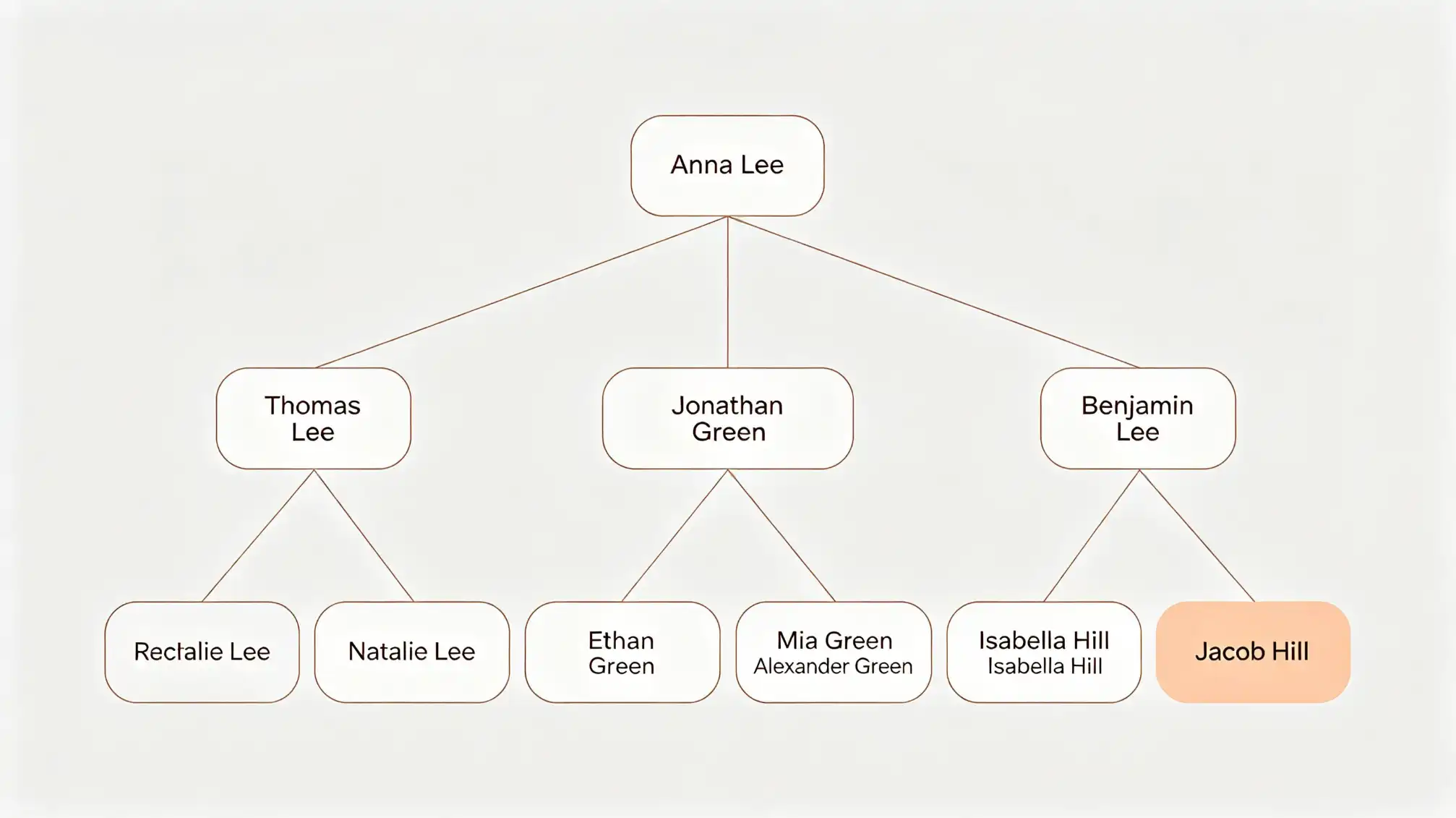
"contentHtml": "<h1>How to Compare Online Family Tree Tools Without Regretting Your Choice</h1>\n\n<p>Most family history projects start the same way: a shoebox of photographs, a few names written on the back of an envelope, and a vague memory that an aunt already worked some of this out. Then you open a browser, search for an <strong>online family tree</strong>, and meet two dozen platforms that all promise the same thing — your ancestors, neatly arranged, preserved forever.</p>\n\n<p>The real differences only show up months later, when you have 400 people in the file, three conflicting birth dates for the same great-grandfather, and a cousin who wants to help but keeps overwriting your notes. This guide is written for the moment before you commit. Rather than a feature list, it looks at what a digital family tree has to do well to still be worth using in five years.</p>\n\n>What an online family tree actually is</h2>\n\n<p>A family tree that lives online is not a poster. It is a database with a friendly face. The poster part is easy to build and easy to admire. The database part determines whether your work survives contact with real research: thousands of records, inconsistent spellings, uncertain dates, and several people who all want to contribute.</p>\n\n<p>Once you keep that distinction in mind, the comparison questions change. You stop asking which tool has the most attractive chart and start asking which one protects the accuracy of your data. Charts can be regenerated in an afternoon. Ten years of unverified guesses are much harder to untangle.</p>\n\n<h2>Four advantages that hold up over time</h2>\n\n<h3>1. Your research stops depending on one device</h3>\n\n<p>Paper binders and desktop software share one weakness: they fail quietly. A hard drive dies, a folder is misplaced during a move, and the only copy of your grandmother's maiden name goes with it. A cloud-hosted tree removes that single point of failure. Your genealogy stays reachable from a phone in an archive, a laptop at the kitchen table, or a library computer on a research trip.</p>\n\n<p>The practical benefit is less romantic than it sounds. It means you can confirm a detail in the middle of a conversation with a relative instead of promising to check later and forgetting.</p>\n\n<h3>2. Evidence stays attached to the person it belongs to</h3>\n\n<p>Scanned census pages, a photograph of a headstone, a transcribed marriage record — in a paper system these live in a separate folder, and the link between document and person exists only in your memory. A well-built tree keeps sources attached to the facts they support. When you later wonder why you recorded a birth year as 1889, the answer is one click away rather than an hour of re-searching.</p>\n\n<h3>3. Collaboration replaces forwarded attachments</h3n\n<p>Family history is rarely a solo project, but email and messaging make poor archives. Files get renamed, versions multiply, and nobody is certain which spreadsheet is current. Working in a shared tree means everyone edits the same record. Relatives can add photographs, correct a spelling, or flag a fact as uncertain, and changes become visible to the whole family immediately.</p>\n\n<p>This is where most of the value sits for people comparing tools. A tree that is easy for a non-expert to contribute to will collect far more family knowledge than one only the original researcher can navigate.</p>\n\n<h3>4. Consistency catches errors you would never spot by eye</h>\n\n<p>Digital trees can flag the obvious impossibilities: a child born before a parent, a marriage at age nine, two siblings with identical names and birth years. These checks are not glamorous, but they catch the of mistakes that quietly an entire branch. The same consistency makes searching possible — find every person born in one parish or every relative sharing a surname, in seconds.</>\n\n<figure>\n<img src='https://r2.flove.love/statico/modernFamilyTreeDiagram4.webp' alt='Modern family tree diagram showing connected branches of an online family tree' />\n<figcaption>A modern family tree diagram: the chart is the visible layer — the structure underneath is what keeps a family history accurate.</figcaption>\n</figure>\n\n<h2>Where digital family tools usually break down</h2>\n\n<p>Not every platform ages well, and the failure patterns are fairly predictable. Watch for these when you compare:</p>\n\n<ul>\n<li><strong>Merge-heavy models.</strong> Some services encourage you to attach your line to a public tree built by. It is fast, and it is also how incorrect information spreads across thousands of unrelated files.</li>\n<li><strongWeak source handling.</strong> If attaching a document takes five steps, people stop doing it, and the tree becomes a list of unsupported claimsli>\n<li><strong>Locked exports.</strong> If you cannot download your own data in standard genealogy format, you are renting your family history rather than owning it.</li>\n<li><>Poor privacy controls.</> Living relatives need protection by default. A tool treats everyone in the tree the same is a family argument waiting to happen.</li>\</ul>\n\n2>A short checklist for comparing platforms</h2>\n\n>\n<li>Can you export the, including sources and media, at any time?</li>\n<li>Does the interface make it obvious whether a fact is documented or estimated?</li>\n<li>Can a relative with research experience add a photo or a memory in under two minutes?</lin<li>Are living people hidden from public view by default?</li>\n<li> the tree render sensibly on a phone well as a desktopli>\n<li>Is there a clear path from name to the record that supports it?</>\n</ul>\n\n<h2>Start small, then expandh2>\n\n<p>You do not need a tree to begin. Enter the people you can verify — parents, grandparents, and siblings you are certain about — and add sources as you go. Start with the profiles you have and let the structure grow from there; if you to see how relatives, photographs, and records sit together in one workspace, review the family area at <a hrefhttps://www.familylove.love/f'>https://www.flove.love/familya>.</p>\n\n<p>Resist urge to import a large public tree in the first. Every name you add without source is a debt you pay later. Accuracy first, breadth second — a small, well-documented family tree worth more than a one nobody can trust.</p>\n\n<p>Choose the platform you will still want to open on a rainy Sunday three years from now. Everything else is a detail.</p>\n\n<h1>Practical Steps</h1>\n\n<ul>\n>Review the family profiles you already hold and confirm which names and dates are backed by a document: <a href='https://www.familylove.l/family'>https://.familylove.love/family</a></li>\n<li>For guidance on organising sources, privacy settings, and adding relatives safely, see the help and documentation at <a href='https://www.flove.love/docs'>https://www.familylove.love/docs</a></li>\n</ul> "images": [
"https://r2.familylove.l/static/seo/modFamilyTreeDiagram.webp"
]
}